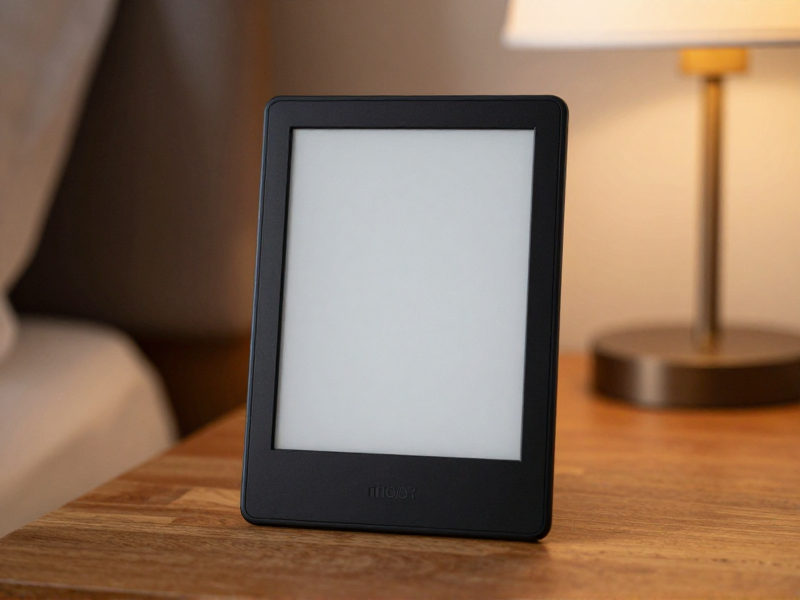
Audible on Kindle Paperwhite: Complete 2026 Setup Guide (and What Actually Works)

BA English Literature, NYU; 6+ years professional book critic; featured in Library Journal
Updated Sep 8, 2026
Affiliate Disclosure
This post contains affiliate links. If you purchase through our links, we earn a small commission at no extra cost to you.
The Kindle Paperwhite can play Audible audiobooks. Most owners don't know this — or they tried once, got confused by the Bluetooth pairing, and gave up. In 2026 the setup is cleaner than it used to be, but the experience still has some sharp edges that nobody tells you about until you've already bought the device expecting it to be a one-stop reading-and-listening machine.
Free: The Audible Credit Strategy Guide: Never Waste a Credit Again
Average reader saves $180/year
Here's exactly how it works, what to expect, and where it falls short — drawing on Amazon's official documentation and the consistent pattern of owner reports from people pairing a Kindle Paperwhite 16GB with an Audible Premium Plus subscription.
The 30-Second Reality Check
No spam. Unsubscribe anytime.
- Yes, it works. The 2024 and 2025 Paperwhite models have Bluetooth and play Audible titles natively.
- No, there's no speaker. You need Bluetooth headphones or speakers — the Paperwhite has zero onboard audio.
- Yes, Whispersync works — listen in your car, pick up reading at the exact word on your Paperwhite.
- No, you can't browse Audible's full catalog on the Paperwhite. You add books on your phone or computer; the Paperwhite is playback-only for the most part.
If you wanted a Kindle that could read silently AND read out loud on a beach trip, the Paperwhite mostly delivers — once you pair a pair of earbuds.
What You Need
To listen to Audible on a Paperwhite, you need three things:
- A Kindle Paperwhite with Bluetooth — the 11th gen (2021) Paperwhite or newer, including the latest 16GB (2024) and the current 2025 models. The base Kindle (2022 and earlier) does NOT have Bluetooth. Some 2024 base Kindles do — check the spec sheet.
- A pair of Bluetooth headphones or a Bluetooth speaker. AirPods, Sony WH-1000XM5, Bose QC45, Echo Buds — anything that pairs over standard Bluetooth.
- An Audible account (or Audible Premium Plus free trial) with at least one purchased or borrowed audiobook in your library.
The Paperwhite stores books on internal memory, so if you're planning to download a lot of audiobooks, the 16GB model is the right pick — audiobooks are bigger than ebooks (an unabridged audiobook is typically 200–500 MB; an ebook is 1–4 MB).
Step-by-Step Setup
1. Confirm Your Paperwhite Has Bluetooth
Swipe down from the top of the home screen. Tap Settings → Wireless (or Bluetooth Devices). If you see a Bluetooth pairing menu, you have it. If you don't, your model is too old.
2. Pair Your Bluetooth Headphones
Put your headphones in pairing mode. On the Paperwhite:
- Settings → Bluetooth Devices → Search for devices
- Tap your headphones when they appear.
- Wait for the "Connected" confirmation.
This typically takes 10–20 seconds. Once paired, the Paperwhite remembers the device — you don't have to repeat this every time.
3. Make Sure Your Audible Account Is Linked
If you bought the Paperwhite logged into the same Amazon account that owns your Audible subscription, you're already linked. To confirm:
- Open the Kindle Store from the home page → scroll down → check that Audible Library appears.
- If it doesn't, Settings → Your Account → make sure your Amazon email matches your Audible email.
(Audible has been part of Amazon since 2008, but on rare occasions Audible accounts created independently end up with mismatched emails. Fix this on audible.com before troubleshooting on the Kindle.)
4. Download an Audiobook
Two options:
Option A: Download on Paperwhite directly. From the Library tab, switch the filter to Audible / Audiobooks. Your Audible library appears. Tap a book to download. Expect this to take 2–10 minutes depending on length and Wi-Fi.
Option B: Download from the Audible app on your phone, then Whispersync. This is faster. Get the book on your phone first (the Audible app is much snappier than the Paperwhite's Audible browser). The Paperwhite picks up the audiobook on next Wi-Fi sync.
5. Listen
Open the audiobook from your library. The play screen appears with chapter list, speed control (0.5x – 3.0x), 30-second forward/back, and a sleep timer. Audio plays through your paired Bluetooth headphones or speaker.
Whispersync: The Best Feature (When It Works)
Whispersync for Voice syncs your reading position between the Kindle ebook and the Audible audiobook of the same title. In practice:
- You drive to work listening to chapter 4 of Atomic Habits on Audible.
- That evening on your Paperwhite, the ebook opens to exactly where you stopped listening — to the word.
- You read another chapter silently. Your phone Audible app updates the position.
- Next morning's commute, audio resumes from where you stopped reading.
When it works, it's magic. When it doesn't, it's because:
- The book you bought doesn't have a Whispersync-enabled audiobook companion.
- You bought the audiobook from a non-Audible source.
- You bought the ebook from a non-Amazon source.
Look for the "Whispersync for Voice-ready" tag on Amazon's book page before buying. Most major releases have it; some older or indie books don't.
Audible's Plus Catalog Inside the Paperwhite
If you have Audible Plus or Premium Plus, the Plus catalog (~11,000 titles, unlimited listening) is fully available on the Paperwhite. Browse, "borrow," download, listen — same flow as owned books.
This makes the Paperwhite + Audible Plus a surprisingly cheap audiobook reader. You can have unlimited listening for $7.95/mo without ever picking up your phone for audio.
Where the Paperwhite Audio Experience Falls Short
Be honest about the trade-offs:
- No speaker. Forgot your headphones? You can't listen.
- Bluetooth latency can be weird. The Paperwhite's Bluetooth chip is older than your phone's. Some headphones have a 1–2 second delay when changing chapters or scrubbing.
- The Audible store interface on Paperwhite is slow. E-ink refresh rates mean browsing isn't snappy. Buy on your phone, listen on the Paperwhite.
- Battery drain. Audiobook playback drops a Paperwhite's battery life from "weeks" to "10–15 hours of audio." Still good — but plan to charge more often.
- No native podcast support. Audible-only. If you want podcasts, you need a phone.
- You can't pair two devices at once. If your headphones are paired to your phone, the Paperwhite won't connect until you disconnect on the phone first.
When the Paperwhite Beats a Phone for Audiobooks
The Paperwhite makes more sense than your phone for audiobooks if:
- You read fiction at night and want to avoid blue light. The Paperwhite ↔ Audible swap means you can transition from reading to listening as you fall asleep, with no screen.
- You want a vacation device. One device for the beach for both reading and listening — and the battery lasts.
- You want to leave the phone behind. Walking, beach, garden — the Paperwhite + headphones is a phone-free combo.
The Paperwhite is worse than your phone for audiobooks if:
- You scrub frequently (the e-ink refresh and Bluetooth latency hurt).
- You want a speaker (Paperwhite has none).
- You use Spotify, Libby, or other apps for audio (Paperwhite is Audible-only).
What About the Kindle Scribe?
The Kindle Scribe has the same Bluetooth + Audible support as the Paperwhite, with a bigger screen and a stylus. If you want to take handwritten notes on a self-help book while the audiobook plays in your headphones, the Scribe is the only Kindle device that supports that workflow.
For most listeners, the Paperwhite is the better value. Scribe makes sense for note-takers, students, and writers.
Listening Speed and Sleep Timer
Audible on the Paperwhite supports the same speed range as the phone app: 0.5x to 3.0x, in 0.05x increments. Most self-help and nonfiction listeners settle at 1.4x–1.6x. Fiction with skilled narrators (Stephen Fry, Wil Wheaton, etc.) usually plays best at 1.0x–1.2x — speed kills the performance.
Sleep timer offers preset intervals (8 min, 15, 30, 45, 60 min, End of Chapter, Custom). Tap the moon icon. Audio fades out gradually at the end.
FAQ
Does the basic Kindle play Audible?
The base Kindle (2022) and older models don't have Bluetooth, so no. The 2024 base Kindle does include Bluetooth and supports Audible. Always check the spec sheet for "Bluetooth audio" before buying if Audible is important.
Can I use the Paperwhite without Wi-Fi for audiobooks?
Yes, once the book is downloaded. Audiobooks are stored on internal memory. You can listen offline on a plane or in a basement — Wi-Fi is only needed to download, sync positions, and access the Audible store.
Do Audible audiobooks count against Kindle storage?
Yes. Audiobooks are large (200–500 MB each). On a 16GB Paperwhite, you can store roughly 30–40 audiobooks before running out of space. Ebooks barely count by comparison — a 16GB Kindle can hold thousands of ebooks.
Will Audible work on a Kindle Oasis?
The Kindle Oasis (discontinued in 2024, but still widely owned) supports Audible via Bluetooth on the 9th and 10th generation models. The experience is essentially identical to the Paperwhite.
Can I listen to Spotify audiobooks on the Paperwhite?
No. The Paperwhite only supports Audible. Spotify, Libro.fm, Libby, and other audiobook apps are not installable on Kindle devices.
Why does my Bluetooth keep disconnecting?
Common causes: low headphone battery, the headphones are also paired to a phone that's nearby (Bluetooth multipoint conflict), or the Paperwhite is asleep. Try "Forget Device" on the Paperwhite, then re-pair fresh.
Is the audio quality good?
It's identical to any other Bluetooth audiobook playback. Audible streams at 64 kbps for standard quality and 128 kbps for premium. Most listeners can't tell the difference on speech audio. If you have audiophile headphones, the limiting factor is the bitrate, not the Paperwhite.
Bottom Line
For Audible subscribers who already love reading on a Kindle, adding audiobook playback to a Paperwhite is a genuine upgrade — especially if you have any Bluetooth headphones lying around. The Whispersync feature alone is worth the setup time once you find a title you want to consume in both formats.
What it isn't: a replacement for your phone. The Paperwhite's audiobook experience is best understood as a companion to phone listening, not a substitute. Use the phone in the car and on commutes. Use the Paperwhite when you want to disconnect from your phone but keep listening.
If you don't already have an Audible subscription, the Audible Premium Plus free trial gives you one free credit (worth roughly $20–35) plus the full Plus catalog — enough to test whether the Paperwhite audiobook setup fits your life.
Sources & References
- Kindle Paperwhite specs — Amazon (accessed 2026-05-11)
- Audible on Kindle help — Audible (accessed 2026-05-11)
About the Author

BA English Literature, NYU; 6+ years professional book critic; featured in Library Journal
James Okafor has reviewed over 800 audiobooks and print titles across literary fiction, business, and self-help. He specializes in comparing narration quality and platform accessibility for audiobook listeners.
Discussion
Sign in with GitHub to leave a comment. Your replies are stored on this site's public discussion board.